Github Project
If you have not already, read "user stories" and "project backlog" sections before reading this page!
We will make a GitHub repository for your term project where you shall store your code and collaborate with teammates. Github's project boards feature enables easy tracking of work progress in a repository. Your group is required to set up a project board in your group repository.
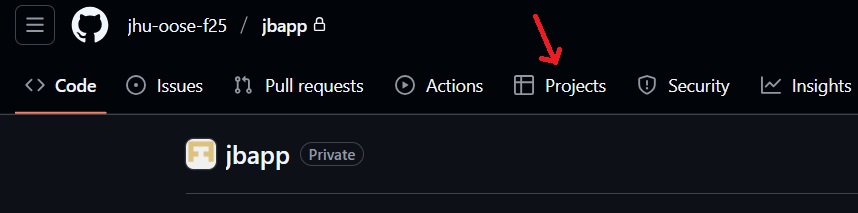
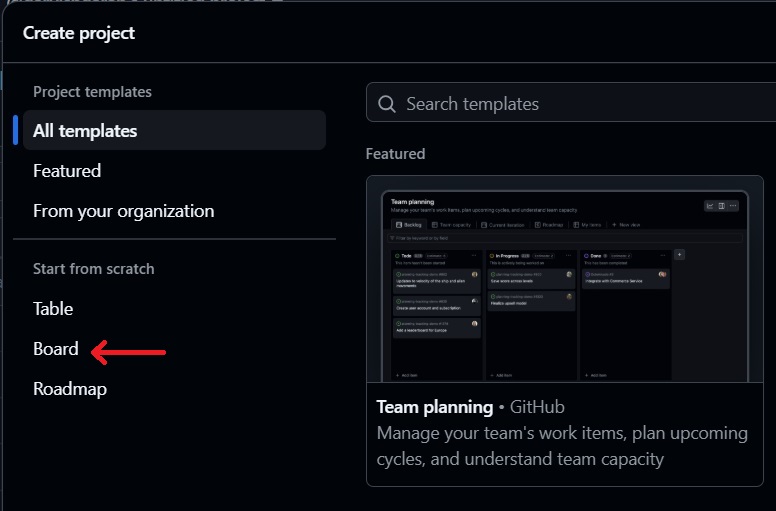
Setup - On the main page of your group repository, go to the "Projects" tab. You will get an option of creating a new project in the repository ("New Project"). Create a new project using the "Board" option.
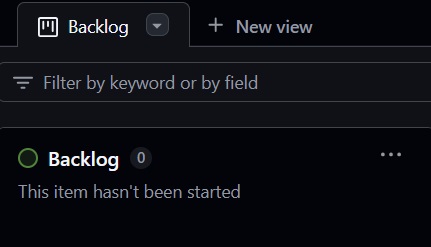
Structure - First, rename "View 1" to "Project Backlog" and only leave one column under this view called "Backlog". This will be independent from any particular iteration and will serve as a master list of all user stories you plan to accomplish for the entire project work over the course of the semester.
Next, create a new view and call it based on the iteration you are in (e.g., "iteration 1"). Under these iteration views, you should have 3 columns for each iteration: "To Do", "In Progress", "Done". The idea is to have a new "View" for each iteration that is named accordingly (e.g., "Iteration 1", "Iteration 2", and so on). The "To Do" column represents the iteration backlog for that iteration only.
Usage - Each user story to be covered acts as a "card" in a column on the board. Then, each user story needs to be broken down into tasks that you will complete. Each task can automatically be linked to an issue in your repository- see https://github.com/features/issues and converting notes to issues.
For the iteration you are working on, make sure to add detailed subtasks so advisors can clearly see the amount of work you're planning to do.
For future iterations, make sure to have a To Do column. This can be filled with high-level tasks (user stories) you want to work on, for that iteration. This helps you plan out your project over time.
Consult the Github's documentation "About projects" for more information.
The state of your GitHub repository, in particular the project-board, will be a factor in your grade for each iteration.